
Wikimedia Commons: UniFi Dream Router 7
Example 1/3
Router pattern
Good: Supported edge device, auto-update where possible, one named owner.
Watch: Prosumer gear that becomes family infrastructure nobody checks.
Ubiquiti Trust Center ↗Decision matrix
Product names help make advice concrete, but the real rule is support lifecycle, updates, maintainability, recovery and trust model.
Short version
Current, supported, patched, configured and understandable beats brand loyalty. Fancy gear nobody maintains is just expensive dust.
Source imagery
Swipe examples
Image 1/3

Image 2/3
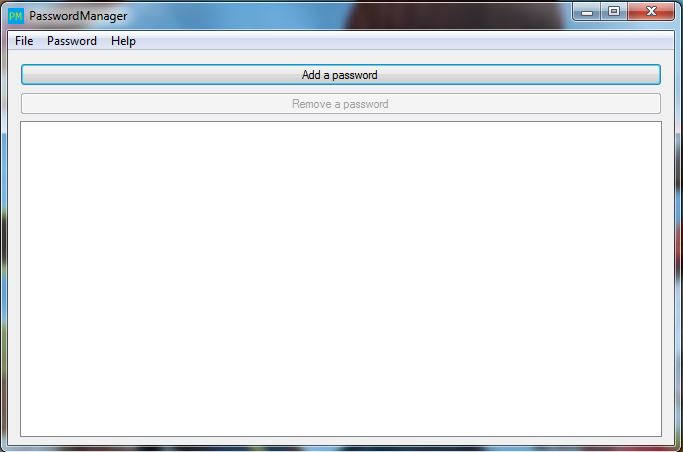
Image 3/3
Product decision matrix
Product names are useful examples, not magic words. The right answer changes when the household has no maintainer, weak recovery, manual updates or a trust model nobody can explain.
On phones, start with the ownership checks, then swipe the example cards. The goal is to copy a support habit, not collect logos.
Default to boring, auto-updating choices. The family needs fewer dashboards, not more Saturday maintenance.
Brand confidence is premature until ownership and recovery are clear.
Pattern examples
Swipe one card at a time on phones. Each card ties a concrete image to the ownership question behind it.
Wikimedia Commons: UniFi Dream Router 7
Example 1/3
Good: Supported edge device, auto-update where possible, one named owner.
Watch: Prosumer gear that becomes family infrastructure nobody checks.
Ubiquiti Trust Center ↗Wikimedia Commons: YubiKey 5C NFC
Example 2/3
Good: Passkeys or security keys plus a password manager and backup route.
Watch: A strong login that fails when the only phone or key disappears.
Passkeys.dev ↗Wikimedia Commons: password manager
Example 3/3
Good: Family sharing, emergency access and recovery notes people can find.
Watch: A vault nobody else can recover, or passwords still living in chats.
1Password passkeys ↗Explain the jargon
Tap a term for the plain-English version and the practical move. No fake mystique, just the bit that changes what you do at home.
Swipe the terms one at a time below desktop width. Glossary cards can get wordy, and squeezing three of them into a tablet row helps nobody.
The period when a vendor still ships security fixes. A product can still work perfectly while being unsafe to keep on the internet.
Do this: Check support before buying or keeping routers, cameras, phones and smart-home gear. Replace unsupported edge devices.
The person who will notice updates, read warnings, keep recovery details and fix the thing when it breaks.
Do this: If nobody owns it, choose the boring auto-updating option instead of advanced gear.
Who can see, route, store or act on your data because you bought or installed the product.
Do this: Ask what changed: did traffic move to a VPN, passwords move to a vault, or admin power move to an app/account?
A named product makes the advice concrete, but it does not mean S6 is telling every household to buy that brand.
Do this: Copy the pattern: supported, maintained, recoverable and understandable. Do not copy the logo blindly.
Read these as three short household checklists. They stay stacked below desktop width so the action text does not get squeezed.
Self-check questions
Use these quick checks to find the next practical fix. The useful answer is not perfect security; it is whether the safer path is obvious when someone is tired, embarrassed or in a hurry.
On phones, swipe one question at a time. Use the first uncomfortable answer as the next household fix, not as a lecture.
If this product breaks, needs a security update or throws an alert, who in the household knows what to do?
Good sign: There is a named maintainer, a recovery route and a simpler fallback if the maintainer is away.
Watch for: Advanced gear without an owner is just another unsupported device with better marketing.
What changed because this product exists: who can see traffic, store passwords, control cameras, route traffic or act as an admin?
Good sign: The household can explain the trade in plain English before buying or installing it.
Watch for: If the answer is 'it makes us secure' without naming what changed, the product is being treated like magic.
Are you copying the maintainable pattern, or buying the logo because someone security-ish mentioned it?
Good sign: The choice matches the household's skill, support needs, budget, recovery plan and risk.
Watch for: A good product in the wrong house becomes a bad system.
Full guidance
A decision matrix for what I would tell family without pretending every household is the same.
Swipe one guidance note at a time below desktop width. The receipt cards appear first; these notes are the deeper explanation, not a wall to skim in one go.
Note 01/05
Family password manager, passkeys/security keys, current supported routers, automatic updates, boring defaults and recovery documentation. Those are patterns, not a brand shrine. If a different product gives the household the same maintainable result, fine.
Note 02/05
For a low-maintenance family, a current ISP router or simple auto-updating mesh may beat a prosumer dashboard. UniFi, OpenWrt, pfSense and OPNsense can be excellent when somebody owns the rules, updates and recovery path. Without that owner, complexity becomes another unsupported device.
Note 03/05
A password manager, passkeys and security keys are useful only if recovery is documented. Enrol a backup key where appropriate, keep recovery codes somewhere safe, and make sure a lost phone does not become a locked email, locked bank and locked cloud account at the same time.
Note 04/05
Reputable paid VPNs, DNS filtering, parental controls and advanced routers are use-case tools. They are not default upgrades. They change who can see traffic, who can break the household's internet, and who gets called when it fails.
Note 05/05
Unsupported routers, unknown imports, cracked apps, keygens, mystery APKs, free VPNs, free unblockers, residential-proxy participation and unsupervised AI agency. These do not fail politely. They usually fail by touching accounts, devices or bandwidth that people thought were unrelated.
Scenario
Swipe one real-world mess at a time
Scenario 1/1
Someone buys a complex firewall for relatives who just want Wi‑Fi.
Better response
Worse habit
Leaving them with a dashboard nobody opens.